


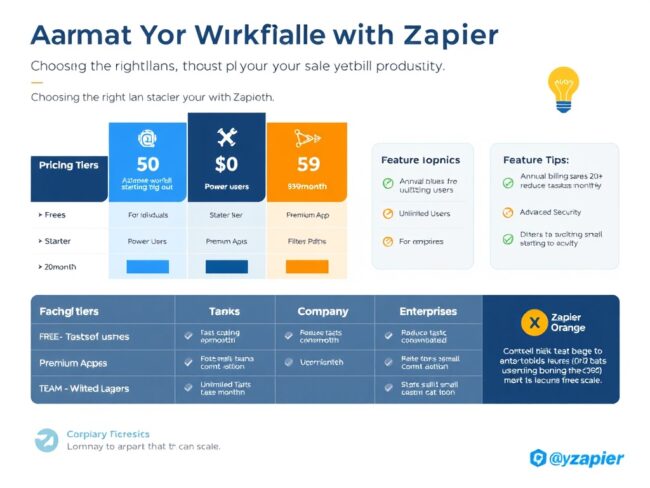
Zapier cost is a crucial factor for small businesses considering automation tools to streamline their workflows. Understanding the full scope of pricing options and features enables businesses to make informed decisions that align with their needs and budgets. This guide delivers a thorough explanation of Zapier’s pricing structure, compares it with competitors, and offers cost-saving tips tailored to small business users.
Choosing the right automation platform can be complex due to varying plans, task limits, and hidden fees. As a result, this article breaks down Zapier cost for small businesses and compares it effectively to other automation tools, helping you avoid unexpected expenses and optimize your investment.
What Is Zapier Cost
Zapier cost refers to the price you pay to use Zapier’s automation platform, which connects over 5,000 apps to streamline repetitive tasks. The cost varies depending on the plan you select, task volume, and advanced features. For foundational understanding, you can visit the official Zapier pricing page which outlines the current cost tiers and features available.
Why Zapier Cost Matters in 2026
As automation increasingly becomes essential for business efficiency, understanding Zapier cost is more critical than ever. In 2025, the global automation market is projected to grow by 20%, underscoring the rising importance of cost-effective automation tools. Small businesses need clarity on pricing to maintain scalable operations while benefiting from automation.
Zapier offers multiple plans designed to cater to different usage levels and budgets. However, without a clear grasp of how task limits and billing cycles affect total cost, businesses risk overspending. For a broader perspective on automation workflows, review our detailed guide on automation featuring OpenClaw AI.
How To Understand Zapier Cost — Step by Step
Step 1 — Identify Your Automation Needs
Assess the number of tasks you expect to automate monthly. Calculate workflow complexity and frequency to estimate your task usage accurately.
Step 2 — Compare Zapier Pricing Tiers
Review Zapier’s Free, Starter, Professional, and Team plans, noting included task limits and key features like multi-step Zaps and premium app access.
Step 3 — Analyze Task Limits and Billing Cycles
Understand how tasks are counted and choose between monthly or annual billing, with annual often offering discounts.
Step 4 — Explore Competitor Pricing
Examine alternatives such as Make to compare costs and capabilities, using resources like the Integrately vs Zapier pricing comparison.
Step 5 — Consider Cost-Saving Strategies
Look into discounts, negotiate enterprise pricing if applicable, and optimize task usage to avoid overages.
Best Practices and Pro Tips
Regularly monitor your task usage to prevent unexpected charges and adjust your plan accordingly. Using built-in Zapier analytics can provide insights into automation efficiency.
Leverage multi-step Zaps to reduce task consumption by consolidating actions into single workflows.
Stay updated with Zapier promotions or bulk task packages that can lower your effective cost per task.
Integrate Zapier with scalable databases and AI workflows as detailed in our article on vector databases to further enhance automation effectiveness.
Common Mistakes to Avoid
Assuming the Free plan suffices without evaluating actual task consumption can lead to costly limitations and interruptions.
Ignoring billing cycle differences may cause unexpected spikes in monthly expenses, especially if switching between monthly and annual plans.
Overlooking competitor offerings and sticking solely with Zapier might miss opportunities for better pricing or features; for more on automation alternatives, see the UiPath automation blog.
Frequently Asked Questions
What is the cheapest Zapier plan available?
The Free plan is the cheapest, allowing limited tasks and single-step Zaps, suitable for basic automation or trial purposes.
How does Zapier count tasks?
A task is counted each time an action in a Zap successfully completes, excluding trigger events themselves.
Can small businesses negotiate Zapier pricing?
Yes, enterprise-level plans often allow negotiation and custom pricing tailored to specific business needs.
What are the main alternatives to Zapier?
Popular alternatives include Make, Integromat, and Integrately, each offering different pricing models and feature sets.
How to optimize Zapier cost for small businesses?
Optimizing involves selecting the right plan based on task volume, consolidating Zaps using multi-step workflows, and monitoring usage to avoid overages.
Conclusion
Understanding Zapier cost is essential for small businesses aiming to implement effective automation without overspending. By evaluating your automation needs, comparing plans, and exploring alternatives, you can maximize value and maintain scalable workflows. For further insights on AI coding automation, be sure to visit our guide on OpenCode AI coding agent.