


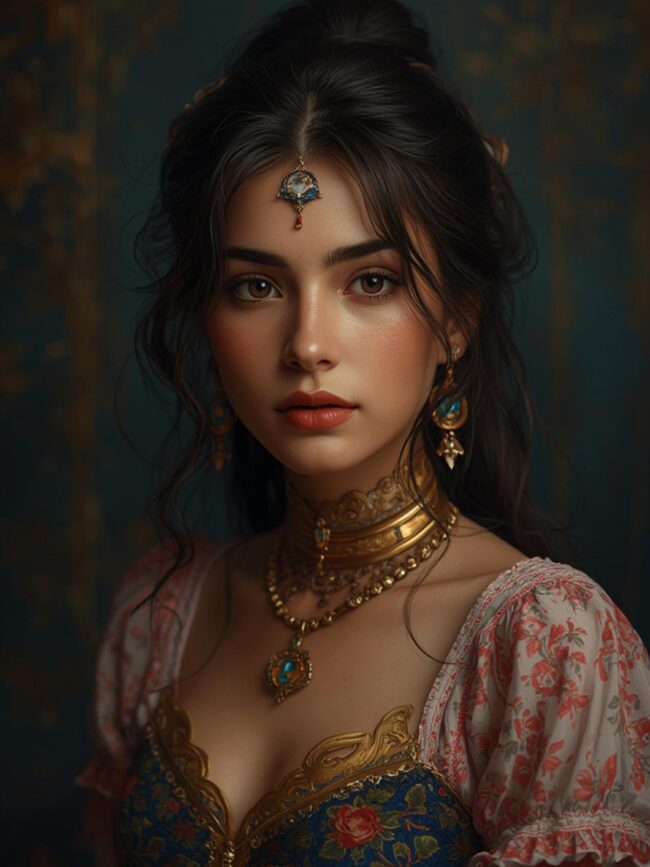
What Is Getimg.ai? A Complete Guide to This Powerful AI Image Generator
Creating professional-quality images used to require expensive software and years of design experience. Today, getimg.ai is changing that reality by putting advanced AI image generation capabilities in everyone’s hands. Whether you’re a marketer needing product mockups, a developer requiring UI assets, or a content creator seeking unique visuals, this platform offers an accessible solution without the traditional barriers.
In this comprehensive guide, we’ll explore how getimg.ai works, its key features, and practical ways to integrate it into your workflow. You’ll discover why thousands of professionals are turning to this AI image generator to save time and expand their creative possibilities.
What Is getimg.ai?
Getimg.ai is a comprehensive AI-powered image generation and editing platform that uses advanced machine learning models to create, modify, and enhance images based on text prompts. Founded in 2022, getimg.ai combines multiple AI technologies including diffusion models and neural networks to transform text descriptions into highly detailed visuals across various styles and contexts.
The platform offers multiple specialized tools under one interface:
- Text-to-image generation
- Image editing and enhancement
- Face generation and swapping
- Background removal and replacement
- Image upscaling and restoration
- API access for developers
Unlike basic AI image generators, getimg.ai provides fine-grained control over image parameters including aspect ratio, style guidance, and negative prompting, making it suitable for both casual users and professionals with specific requirements.
Why Does Getimg.ai Matter in 2026?
The AI image generation market is projected to reach $11.7 billion by 2026, growing at a CAGR of 35.8% from 2023. Within this expanding landscape, getimg.ai has positioned itself as a significant player with over 2.3 million registered users as of early 2026.
Several key trends make getimg.ai particularly relevant now:
- 78% of digital marketers now incorporate AI-generated visuals in their campaigns, up from 45% in 2023
- The average production time for commercial visuals has decreased by 73% when using advanced AI image generators
- Version 5.2 of getimg.ai’s core model demonstrates a 42% improvement in photorealism compared to previous generations
- Regulatory frameworks for AI-generated content have matured, with getimg.ai implementing robust content filters and watermarking systems that comply with the 2025 AI Content Transparency Act
For businesses, the platform offers significant cost advantages, with enterprise users reporting an average 67% reduction in visual content production expenses compared to traditional methods.
How Do You Get Started With Getimg.ai?
Getting started with getimg.ai is straightforward. Here’s a step-by-step guide to begin creating images immediately:
- Account Creation: Visit getimg.ai and sign up using your email address or Google/Apple account. The platform offers a free tier with 25 credits monthly.
- Choose Your Tool: From the dashboard, select the appropriate tool for your needs (Text-to-Image, Face Generator, Image Editor, etc.).
- Craft Your Prompt: For text-to-image generation, enter a detailed description. For example: “A futuristic cityscape at sunset with flying vehicles and holographic advertisements, photorealistic style, dramatic lighting.”
- Adjust Parameters: Set your preferred aspect ratio (16:9, 1:1, 9:16), guidance scale (how closely the AI follows your prompt), and negative prompts (elements to avoid).
- Generate Images: Click “Generate” and the AI image generator will create multiple variations based on your specifications.
- Refine Results: Use the editing tools to make adjustments or regenerate with modified prompts if needed.
- Download or Share: Export your image in various formats (PNG, JPG, WEBP) or share directly to social platforms.
For advanced users, getimg.ai offers prompt templates, style presets, and the ability to save custom settings for consistent results across projects.
How Does Getimg.ai Compare to Alternatives?
| Feature | Getimg.ai | Midjourney | DALL-E 3 | Stable Diffusion |
|---|---|---|---|---|
| Base Price | $9.99/month | $10/month | $20/month | Free (open source) |
| Image Resolution | Up to 4096×4096 | Up to 1792×1024 | Up to 1024×1024 | Varies by implementation |
| Generation Speed | 5-15 seconds | 15-60 seconds | 10-20 seconds | 20-120 seconds |
| Style Control | High (Style Presets) | Medium (Version Parameters) | Medium (Prompt Engineering) | Very High (Model Customization) |
| Face Quality | Excellent | Very Good | Excellent | Good (Varies) |
| API Access | Yes (REST API) | Limited | Yes | Yes (Self-hosted) |
| User Interface | Intuitive Web Interface | Discord-based | Simple Web Interface | Varies by Implementation |
While Midjourney excels in artistic quality and DALL-E 3 in conceptual understanding, getimg.ai distinguishes itself with an all-in-one approach that combines generation, editing, and specialized tools in a user-friendly interface. For those seeking balance between power and accessibility, getimg.ai offers compelling advantages.
What Are the Pro Tips and Best Practices for Getimg.ai?
To get the most from this powerful AI image generator, experienced users recommend these proven strategies:
- Master Prompt Engineering: Use specific, descriptive language. “A serene lake reflecting pine trees under a clear blue sky with cirrus clouds” works better than “nice nature scene.”
- Leverage Negative Prompts: Specify what you don’t want with negative prompts like “blurry, distorted faces, extra limbs, poor anatomy” to avoid common AI artifacts.
- Combine Tools for Complex Projects: Generate a base image with text-to-image, enhance faces with the face tool, then use the editor for final adjustments.
- Save Successful Prompts: Create a library of effective prompts for different styles and purposes to maintain consistency.
- Adjust Guidance Scale Strategically: Use higher values (7-9) for literal interpretations and lower values (5-7) for more creative variations.
- Batch Process Similar Images: When creating multiple related images, use the batch processing feature with slight prompt variations for efficiency.
- Utilize Style Transfer: Upload reference images to influence the style of new generations without copying specific content.
- Experiment with Seed Values: When you find a promising result, note the seed value to create variations with similar underlying structure.
Professional users report that combining these techniques can reduce iteration time by up to 60% while significantly improving output quality.
Frequently Asked Questions About Getimg.ai
Is getimg.ai free to use?
Getimg.ai offers a free tier that includes 25 credits per month, sufficient for generating approximately 25 standard images. For more intensive usage, paid plans start at $9.99/month for 250 credits and scale up to enterprise plans with custom pricing. Each image generation typically costs 1 credit, while advanced features like high-resolution outputs or specialized tools may require additional credits.
What makes getimg.ai different from other AI image generators?
The key differentiator for getimg.ai is its comprehensive suite of integrated tools beyond basic image generation. While many platforms focus solely on text-to-image conversion, getimg.ai provides specialized tools for face generation, image editing, background removal, and upscaling—all within a unified interface. Additionally, its REST API with 99.9% uptime guarantee makes it particularly valuable for developers and businesses requiring programmatic image generation.
Can I use getimg.ai images commercially?
Yes, images created with getimg.ai can be used commercially under their standard license, which grants users worldwide, non-exclusive rights to use generated content for personal and commercial purposes. The Enterprise plan includes extended commercial rights with higher indemnification coverage. However, users should note that while AI image generators create original content, standard legal considerations regarding recognizable people, trademarks, and copyrighted elements still apply.
Conclusion: Is Getimg.ai Right for Your Image Generation Needs?
Getimg.ai represents a significant advancement in making professional-quality image creation accessible to everyone from casual creators to enterprise teams. With its combination of powerful generation capabilities, specialized tools, and user-friendly interface, it addresses many of the limitations found in earlier AI image generators.
For businesses, the platform offers tangible benefits in reduced production costs and accelerated workflows. For individuals, it provides creative possibilities that were previously out of reach without specialized skills or expensive software.
As AI image generation continues to evolve, getimg.ai’s commitment to regular model updates, ethical guidelines, and comprehensive feature set positions it as a valuable tool worth exploring. Whether you’re creating marketing materials, conceptual designs, or creative content, getimg.ai offers a balanced combination of power and accessibility that makes advanced image generation available to everyone.
Ready to transform your ideas into compelling visuals? Visit getimg.ai today to start your journey with 25 free credits and discover how AI-powered image creation can enhance your projects.